
Intelligent Capture (NLP)
How Lida understands and organizes everything you type in real-time.
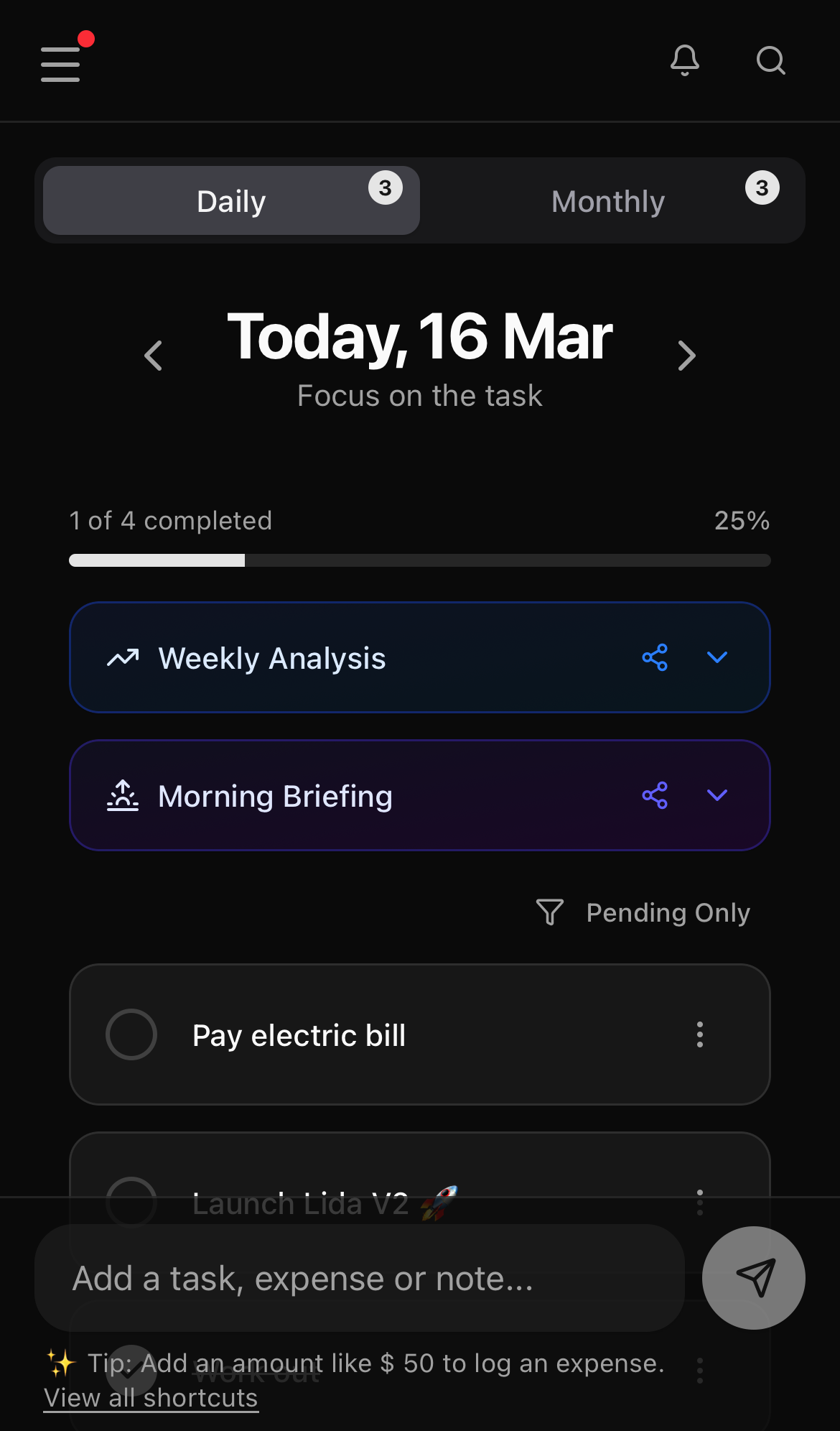
The heart of Lida is its Quick Capture bar. The app simplifies logging by letting you type exactly the way you think, without filling out long forms or navigating complex menus.
The need to fill out forms and categorize items is what makes most people abandon planning. By delegating that organization to the Intelligent Capture (NLP), you eliminate the friction between thought and record. The idea doesn't get lost, and you stay in the flow of whatever you were doing.
Our Natural Language Processor (NLP) automatically detects dates, times, categories, and even financial values and recurrences.
How does it work?
Just type your task or note in the bottom bar. Lida will highlight the recognized elements automatically and, after a brief pause, show a preview with the text, tags, time, amount, and number of items that will be scheduled.
📅 Smart Dates
Lida understands relative terms and days of the week. It will schedule your task automatically:
- "Buy bread tomorrow" ➔ Schedules for the next day.
- "Meeting on Friday" ➔ Schedules for the upcoming Friday.
- "Pay bill on the 15th" ➔ Schedules for the 15th of the current month.
- "Renew passport in 30 days" ➔ Calculates the exact date in the future.
- "Annual review in 6 months" ➔ Schedules for exactly 6 months from today.
⏰ Times
Add the time naturally in the sentence to set a reminder:
- "Kids' dentist at 3pm"
- "Call client at 14:30"
- "Meeting from 2pm to 3pm" ➔ Saves and displays the complete time range.
🏷️ Trails and Groupings (Tags)
Use the hash (#) to group items. If you have 3 or more items with the same tag in a day, Lida will automatically create a Collapsible Trail to clear your screen.
- "Change shower resistance #home"
- "Review Google ads #lida"
When you type #, Quick Capture suggests tags you already use in your items and shared content. Keep typing to filter, navigate with the arrow keys, and press Enter or Tab to complete without breaking your flow.
💰 Financial Control
Lida is not just about time, it's about resources. Type values to mark an item as a transaction (expense or informal note):
- "Credit card bill $1500" ➔ Lida understands it as a financial obligation.
- "Lunch at the restaurant $120"
🔁 Recurrences
To create a recurrence, describe the repetition directly in the capture sentence. Lida interprets patterns like "every day", "every [weekday]", and "every X days", and schedules the items automatically across the chosen period:
- "Meeting every Monday at 10am" ➔ Schedules the task for every remaining Monday of the month.
- "Call client every 3 days" ➔ Creates tasks spaced every 3 days.
- "Review report every Friday" ➔ Generates the recurrence on the following Fridays.
- "Training from Monday to Friday" ➔ Schedules every remaining weekday of the month.
- "Take medicine every day at 8am" ➔ Repeats the task every day.
⚡ Practical Superpower Example
Putting it all together, you can transform chaos into organization with a single sentence:
Pay the cleaning lady every Friday at 09:00 #home $180
What Lida does behind the scenes:
- Schedules multiple tasks for the upcoming Fridays, until the end of the month.
- Sets an alert for 09:00.
- Groups in the "home" trail.
- Records the value of $180 for each scheduled task.
No extra clicks. No friction. Real productivity.
🎙️ Voice capture
Tap the microphone icon inside the capture bar to dictate instead of typing. Lida uses your browser's native speech recognition and fills the field with the transcribed text. Nothing is submitted automatically — review the text and press Enter when you are ready. The button only appears in supported browsers.
You can also use the microphone in the Chat Assistant to dictate messages: the text is inserted into the message field for review before sending.
✨ Smart Dictation in the Daily Wrap-up
On the end-of-day screen, Plus/Pro users get Smart Dictation: tap the microphone and speak freely, and Lida sends the raw transcript to the AI to clean up punctuation, remove hesitations ("um", "uh", "like"), and fix small recognition errors — without changing the meaning. The final text is inserted into the reflection field for you to review before saving. Audio never leaves your browser; only the transcribed text is processed.
🧭 Type selector and Smart Capture
Above the bar you'll find a type selector — Task, Note, and Event — and a Smart Capture toggle (enabled by default).
- Choosing Note or Event automatically prepends the matching prefix (
-for notes,>for events) to your text. - With Smart Capture on, Lida interprets dates, times, tags, and amounts as you type.
- If you type
--or//at the start (the syntax for capturing text literally), Smart Capture is visually turned off to indicate that automatic parsing will be skipped.